


Video Downloader & Video Saver
4.48.97K Reviews
App Specs
- Version
- 1.29.7
- Updated On
- License
- Free
- Downloads
- 50,000,000+
- Developer
- All Video Downloader, Saver & Player Studio
- Categories
- Video Players & Editors
- Platform
- Android, iOS
Screenshots
 Analysis by AppCompare
I judge a video-saving app by more than how quickly it accepts a link. I want a workflow I can understand, a sensible way to manage what I keep, and a clear reason to choose it over the options already on my phone. Video Downloader & Video Saver is a free app in the video player and editing category, made by All Video Downloader, Saver & Player Studio. It is aimed at people who want a straightforward route from an online video to an offline copy, rather than a full editing suite or a complicated media library.
What I would check before relying on it
The practical question is whether the app fits the way you already encounter videos. If you often come across a clip while browsing and can copy its link, the paste-and-download approach described here is easy to understand. If you mostly watch videos inside their original apps and never need an offline copy, adding another app may not improve your routine. I would also think about storage before saving a large collection: choosing a lighter quality when that is available can help keep space for photos, messages, and other downloads.
This is a downloader, not a substitute for every kind of video tool. Its appeal is convenience: save a clip for a time when a connection may be unreliable, then play it locally. If your priority is trimming footage, adding effects, or organizing a large personal archive, a dedicated editor or media manager is likely a better match. Knowing that distinction early makes it easier to decide whether this app belongs on your device.
Simplicity at Its Best
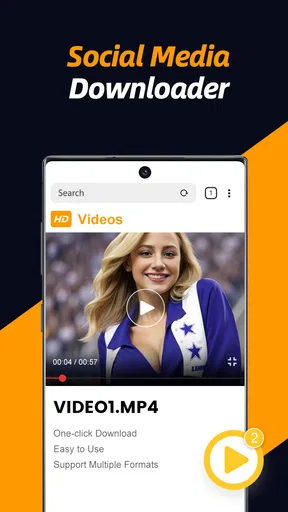
The first thing that strikes you about the Video Downloader & Video Saver is its straightforward user interface. There's no need to wade through a maze of features to find what you're looking for. A few taps and you can easily download videos from a multitude of platforms. The app supports popular social media platforms, making it a versatile choice for anyone who loves collecting video content. And trust me, you don’t need to be a tech wizard to get the hang of it.
Seamless Download Experience
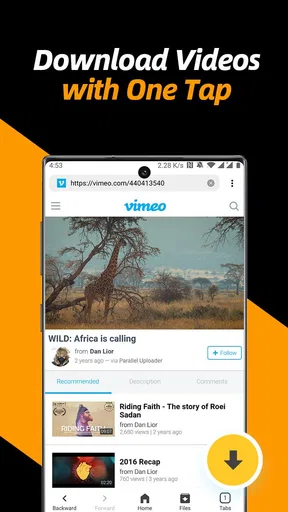
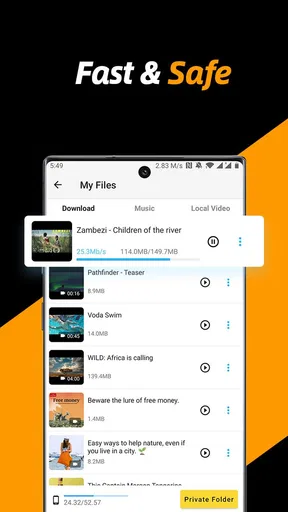
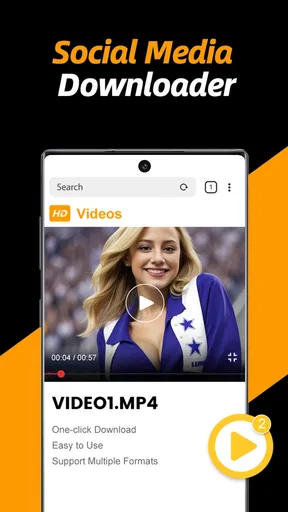
What impressed me the most was how smoothly the app handled downloads. Once you copy the video link from any platform, you simply paste it into the app. The download is almost instantaneous—no long waits or frustrating errors. Plus, you can keep using your phone without the app slowing anything down, which is a huge plus for multitaskers like me.
A useful habit is to treat the copied link as the start of a small workflow rather than assuming every video can be saved in the same way. Some services limit how their content can be accessed, and availability may depend on the source. I would copy the link, check that the app recognizes the item, and then confirm the result before closing the original page. That quick check helps avoid the annoyance of coming back later expecting a clip that never made it to the device.
For an everyday example, imagine finding a short recipe demonstration while browsing during a lunch break. If you want to refer to its chopping or timing steps later in a kitchen with patchy Wi-Fi, saving the clip beforehand can be more useful than trying to remember it or hunting through a feed again. I would use the download for personal viewing, and keep in mind that saving a video does not transfer ownership or permission to repost someone else’s work.
Worth Reading Before You Choose

Flipboard Shows What News Apps Must Do Beyond the Feed

Switching to Android Auto Means Rethinking Your Driving Routine

Google Calendar Makes a Crowded Week Easier to Manage

Ludo King Makes the Most of the Minutes Between Plans

Baby Panda World Brings Quick Play to Modern Phones, but Its Game Library Feels Busy

ESPN’s Live Game View Makes Following Close Games Easier
Quality Options Galore
One of the standout features is the ability to choose the quality of your downloads. Whether you want the video in HD or a lighter version to save on storage space, the app caters to your needs. It's great for those who might be running low on storage but still want to keep their favorite videos at hand.
The trade-off is simple but worth considering: the clearest copy is not always the most useful copy. A clip you plan to watch on a small phone screen during a commute may not need the same detail as footage you want to view carefully on a larger display. I would reserve higher quality for videos where visual detail matters and choose a smaller file for casual reference, especially if I expect to save several clips. Before building a collection, it is sensible to review what you actually revisit rather than keeping every passing find.
Offline Viewing Delight
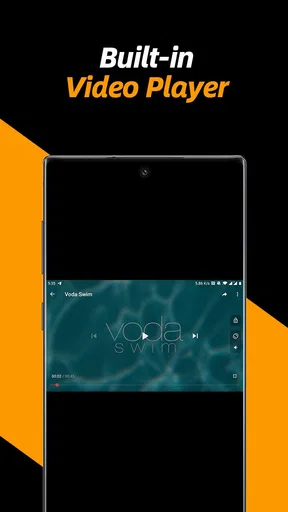
Once downloaded, the videos are yours to keep, which means you can watch them offline anytime, anywhere. This is particularly handy for those long commutes or when you're traveling and Wi-Fi is spotty. It’s like building your own mini-library of all the videos you love.
Offline access is most valuable when planned. I would save the clips I expect to need before leaving home or a reliable connection, then open one while still online to make sure the file plays as expected. That small test matters if the video is for a journey, a lesson, or a reference you cannot easily retrieve on the move. A downloader can reduce dependence on a live connection, but it cannot help if the content was not successfully saved in the first place.
For a handful of saved videos, this approach is easy to manage. For a large archive, the friction shifts from downloading to finding the right item later. I would keep a modest collection and periodically remove clips I no longer need, rather than treating the app as an unlimited library. If careful cataloguing, playlists, or syncing across devices are central to your routine, a dedicated media manager may serve you better.
Where other options may be better
The usual alternatives solve different problems. A platform’s own save or offline-viewing tools are often the simplest choice when you only need access inside that service and its rules suit your situation. They may be preferable if you want to keep everything within one account. A general file manager can make sense when you already have video files and mainly need to browse or move them. An editing app is the better choice when the goal is to cut, combine, caption, or reshape footage rather than save it for later.
This app’s strength is the direct link-based workflow, especially for someone who wants a separate copy available on the phone. Its trade-off is that downloading depends on what the source permits and makes accessible. I would not choose it as a workaround for restricted content, nor expect it to replace a service’s own offline feature in every case. When a link does not work, using the original platform’s permitted options is the more sensible next step than repeatedly trying variations.
People who should skip it include anyone who rarely watches saved clips, anyone who needs a polished editing workflow, and anyone who wants a dependable cross-device archive rather than downloads kept on one phone. It is also not the right answer if the main goal is to collect and redistribute other people’s videos without permission. For a user who simply wants occasional offline access to material they are allowed to save, the narrower purpose is an advantage rather than a weakness.
Privacy, permissions, and sensible use
In today’s digital age, security is a big deal, and thankfully, Video Downloader & Video Saver takes this seriously. The app doesn’t require any unnecessary permissions, which is reassuring for anyone concerned about privacy. You can enjoy your downloads without worrying about compromising your personal data.
I still recommend checking the permission prompts on your own device and granting only what is needed for the task you are doing. That is a useful general habit with any app that handles files. Privacy also includes how you use saved material: keep personal or sensitive clips private, and respect the creator’s terms and copyright. Saving something for offline viewing is different from sharing it publicly, and a downloader does not make that distinction disappear.
Keeping expectations realistic
The app has an average rating of 4.4 from around 350,000 ratings, with about 8,900 written reviews, and has passed 50 million installs. Those figures suggest that many people have tried it, but they do not guarantee that every source or link will behave identically. I would treat it as a convenient tool for compatible videos, not as a promise that every clip across the internet can be captured. The content rating is Teen, so it is sensible to consider that when deciding whether it is appropriate for a younger user or a shared device.
It was released on November 25, 2020, and the current version is 1.29.5, with Android 7.0 as the minimum operating system. The developer, All Video Downloader, Saver & Player Studio, continues to provide updates, which is encouraging, though I would still keep the app current and make sure the phone has enough free space before a trip or other offline use. As with any downloader, changes to a source platform can affect whether a particular link remains usable.
Switching in and out without hassle
If you are moving from another downloader, I would avoid transferring a large pile of old clips all at once. Start with one or two videos you genuinely need, learn where the app keeps them, and check how they appear in your usual playback workflow. That gives you a low-risk way to see whether its link handling and quality choices suit you. If it does not fit, you can return to the original platform’s viewing options without having reorganized your whole media collection.
Likewise, switching away is easiest when downloads are treated as copies for specific use, not as the only home for important footage. Keep any videos you have a right to retain in a location and format that works with your normal file-management habits. This is less about a flaw in this particular app than a practical rule for any single-purpose downloader: convenience is strongest when the saved items are replaceable and easy to locate.
At no cost, trying the app for a small, legitimate use case is a low-commitment way to judge it. I would test a link from a source I use often, select a quality that suits my storage, and play the saved file offline before depending on it. If those steps work smoothly, there is little reason to overcomplicate the setup. If not, the built-in options of the service or a different kind of video app may be the better fit.
Regular Updates
The developers seem committed to keeping the app fresh and functional. They roll out updates regularly to fix bugs and add features, which is always a good sign. It’s nice to know that the app will stay relevant and continue to improve over time.
To wrap it up, if you're on the hunt for a reliable, user-friendly solution to save videos from your favorite platforms, Video Downloader & Video Saver is definitely worth a try. It combines ease of use with powerful features, making it a must-have for any video enthusiast who wants to keep their favorite clips just a tap away.
My recommendation is more measured: it is a practical fit for someone who saves occasional clips, wants a simple copy-and-paste routine, and understands that source compatibility and usage rights matter. I would choose it for planned offline viewing, not as an editor, a universal archive, or a guarantee that every online video is downloadable. Start small, confirm your saved files play, and keep only what you will genuinely use. That is where this app makes the most sense.
Pros
- Supports multiple video formats.
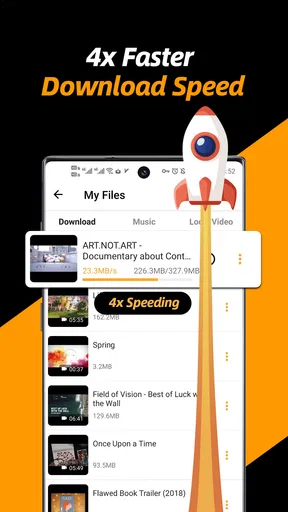
- Fast download speeds.
- User-friendly interface.
- No watermark on saved videos.
- Background downloading capability.
Cons
- Contains ads in free version.
- Limited features without premium.
- Some formats require conversion.
- No built-in video player.
- Occasional download failures.
FAQs for Video Downloader & Video Saver
How does Video Downloader & Video Saver work?
Video Downloader & Video Saver allows users to download videos from various platforms directly to their devices. By simply copying and pasting the video URL into the app, users can save videos for offline viewing. The app supports multiple formats and resolutions, providing a seamless way to access content without an internet connection.
Is Video Downloader & Video Saver free to use?
The app offers both free and premium versions. The free version includes basic download features, while the premium version provides enhanced functionalities such as ad-free usage, faster download speeds, and support for additional video formats. Users can choose based on their needs and preferences.
What platforms are compatible with Video Downloader & Video Saver?
Video Downloader & Video Saver is compatible with both Android and iOS devices. It supports downloading from popular video-sharing platforms. However, users should check the app’s compatibility with specific platforms to ensure it meets their requirements, as terms of service may vary.
Is it legal to download videos using Video Downloader & Video Saver?
While the app facilitates downloading videos, users must adhere to the copyright laws and terms of service of the platforms from which they download content. It is legal to download videos for personal use if the platform permits it, but users should avoid distributing the downloaded content without permission.
Does Video Downloader & Video Saver require an internet connection?
An internet connection is necessary to download videos initially. Once downloaded, videos can be accessed offline without the need for an internet connection. This feature is particularly useful for users who wish to watch content during travel or in areas with limited connectivity.


